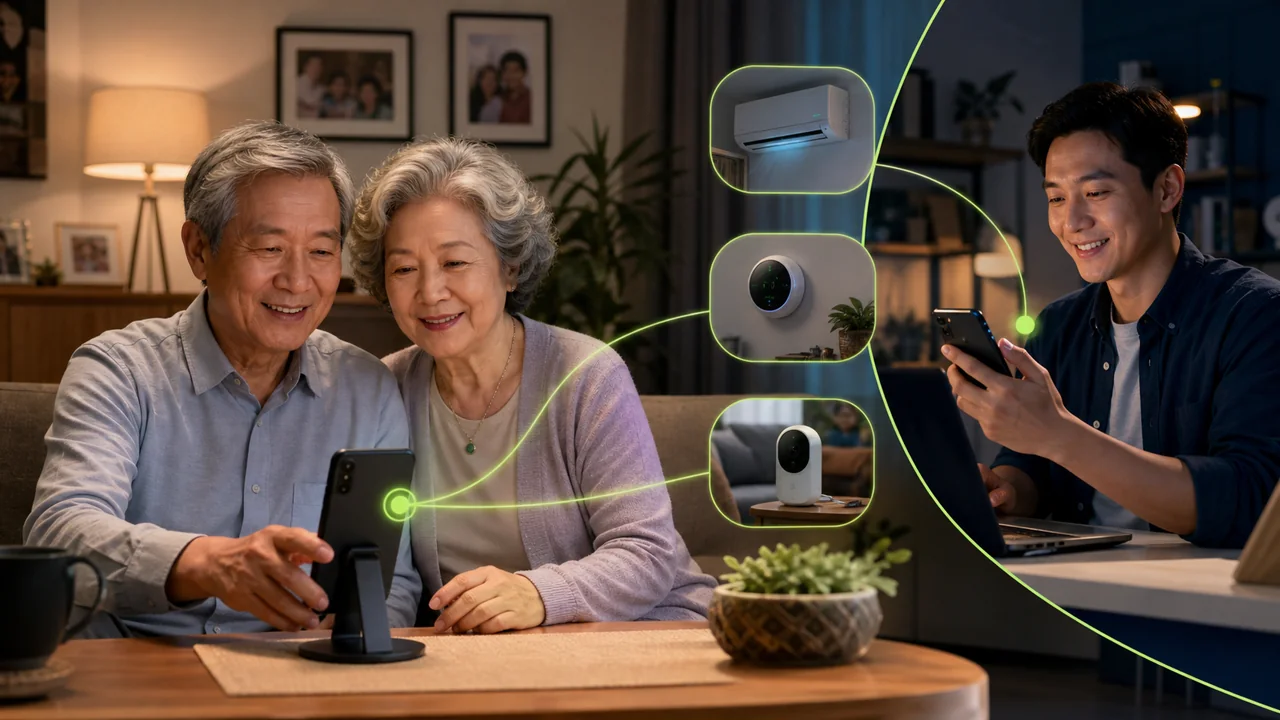
Smart devices are multiplying in parents' homes, but operating them hasn't become easier. The air conditioner is in one app, the temperature and humidity monitor in another, and the scale and blood pressure monitor each use their own health platform. When an account is logged out, a device goes offline, or data is missing, adult children often have to rely on phone calls describing "tap the top-right corner," "swipe down," or "go back to the previous page." For elderly people unfamiliar with smartphones, such guidance easily becomes trial and error.
A more practical approach is to set up a family Android phone that your parents have explicitly authorized, keep it at home long-term, and log in to the smart device apps that need to be managed. You can connect to this phone via Teralivo and directly perform steps that are difficult for your parents. It is not a covert surveillance tool, but a family assistance terminal whose purpose, permissions, and usage times are agreed upon in advance by both sides.
Why a Family Control Center Is Simpler Than Per-Brand Remote Logins
Many smart device manufacturers offer account sharing, but family member mechanisms, regional restrictions, and permission granularity vary by brand. Some older devices can only bind one primary account, and some health data isn't suitable for sharing with all family members.
The family control phone keeps the apps and accounts your parents already use. You remotely operate this authorized phone instead of reconfiguring cloud sharing for each brand. This makes it possible to handle more complete workflows such as re-logging into accounts, syncing Bluetooth devices, viewing history, and adjusting settings.
This phone should ideally use a separate family account and not mix in parents' everyday chat, payment, or work accounts. Install only the smart home and health apps that are truly needed, and agree among family members on who can connect, when they can connect, and what data can be viewed.
Scenario 1: Handling Air Conditioning and Indoor Environment Remotely
An Android phone with infrared can control traditional air conditioners via a remote-control app; air conditioners that support Mijia, Google Home, or other platforms can be operated directly in their corresponding apps. You can first check the temperature and humidity at home, then decide whether to turn on the air conditioner or adjust the temperature, rather than turning it on or off blindly based on assumptions.
If your parents report that "the air conditioner isn't responding," you can also check the room selection, remote-control model, device online status, and current mode. Note that the remote interface showing that a command was sent does not necessarily prove the physical air conditioner has executed it. In important scenarios, it's best to corroborate with temperature changes, device status feedback, or confirmation from your parents.
Scenario 2: Helping Read Weight and Blood Pressure Records
Smart scales and blood pressure monitors usually require Bluetooth syncing with a phone nearby before the app can upload records. The family control phone can stay near the devices, helping parents open the correct user profile, trigger a sync, and view trends.
Health data is sensitive personal information. It should only be viewed with your parents' explicit consent. Avoid sending screenshots to insecure group chats, and don't treat consumer-device data as a medical diagnosis. If you notice abnormal trends, contact a doctor or professional institution rather than relying only on the app's numbers.
Scenario 3: Completing Setup Directly When Parents Can't Operate the Phone
Typical remote assistance tools often require the person being helped to tap "Allow" or "Start sharing." If parents don't understand the pop-ups, remote assistance may not even start when it's needed most. After the device is authorized and bound once with Teralivo, you can initiate unattended connections to online devices, so your parents don't have to accept the session again each time.
This convenience also means the family must set clear boundaries. Recommended practices: configure the phone for the first time while your parents are present, complete the authorization together, and explain its functions; use a strong password for the management account; end the session when not in use; and revoke the binding when the device is no longer used as a family terminal.
Camera Use Is Only Allowed Under Explicit Agreement
The family phone can also temporarily turn on the camera to check on pets, check for water leaks indoors, or help parents aim at a device. When the camera or microphone is in use, Android may show a privacy indicator, and the system also allows users to turn off related access globally.
Cameras should not be placed in private spaces like bedrooms or bathrooms, nor should they be turned on without family members' knowledge. For more stable, long-term security needs, use dedicated cameras that have permission management, recording policies, and security updates; the phone camera is better suited for short-term, clearly purposed family assistance.
Establishing Family Assistance Rules
| Item | Suggested Agreement |
|---|---|
| Device ownership | Use a phone owned by the family or explicitly authorized |
| Who can connect | Only designated family members |
| Health data | View with consent; not for diagnosis |
| Camera | Use only in agreed scenarios and areas |
| Account security | Separate account, strong password, periodic binding review |
| Exit mechanism | Parents can request to stop or revoke access at any time |
Test With a Real Family Workflow First
Before relying on this solution formally, you should test long-term phone power supply, Wi-Fi disconnection recovery, target app login status, Bluetooth sync range, and remote operation compatibility. Walk through "check temperature," "turn on air conditioner," and "sync one weight record" separately, and note alternative methods for failures.
The goal of family remote assistance isn't to take away your parents' control over their devices, but to reduce the frustration caused by complex operations. Only with clear authorization, account isolation, and restrained functionality can an Android phone truly become a reliable family control center.