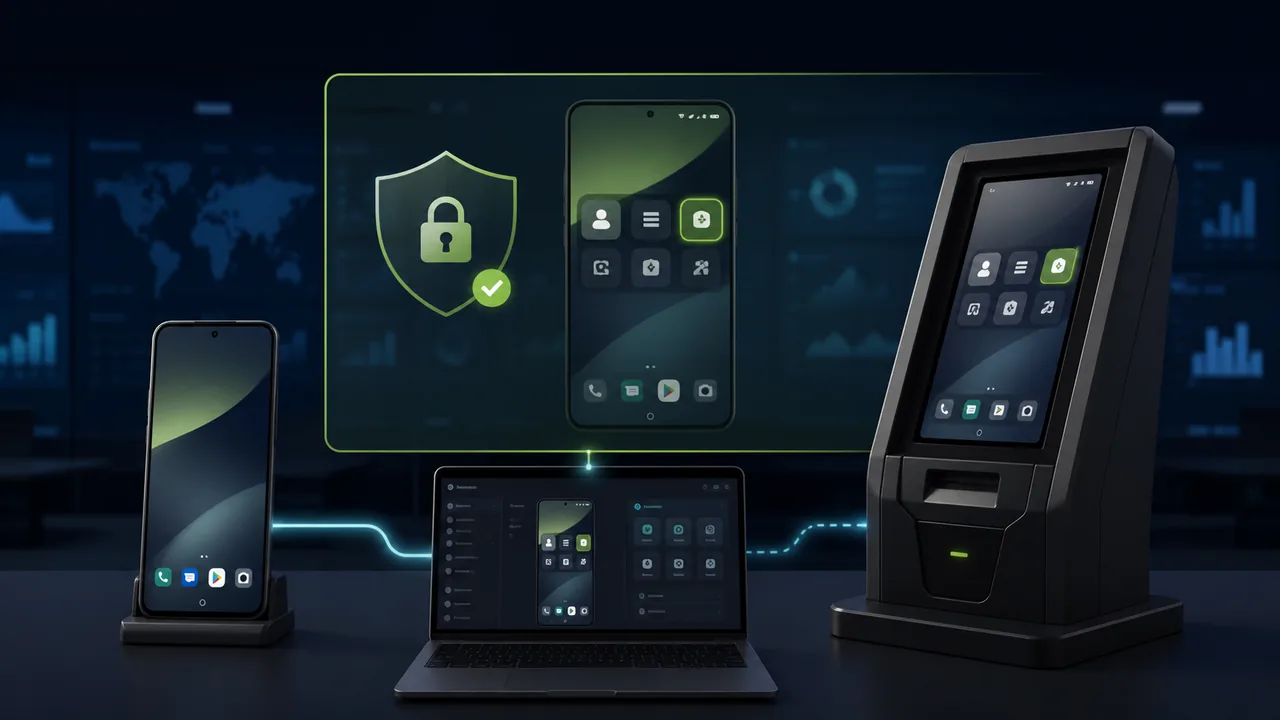
When people search for "remote control Android without confirmation", "Android unattended remote access", or "remote control Android without user accepting", what they usually want to solve is not an ordinary remote-assistance session but a more specific problem: the device already belongs to them or has been authorized by its owner, yet no one is on site. Can they connect and operate directly, instead of waiting each time for the other end to tap "Allow", "Start sharing screen", or enter a temporary connection code?
This need is common in household control phones, parental remote assistance, smart parcel lockers, digital signage, POS, vending machines, and other unattended Android terminals. Even if the device is online, if every connection requires confirmation by someone on site, the so-called "remote control" loses its value in unattended use.
Teralivo's goal is precisely to solve this: the administrator must complete explicit authorization and binding at the device site the first time; after binding, they can initiate remote control from a browser without requiring the device-side user to accept the connection each time. What it emphasizes is unattended operation after advance authorization, not bypassing the device owner's consent, and certainly not secretly controlling a device that belongs to someone else.
What Is Remote Control Android Without Confirmation?
"Without confirmation" is easy to misunderstand. It should not mean "consent was never obtained"; it should mean:
- The device owner or organization administrator completes authorization during initial deployment;
- A binding relationship has been established between the management account and the managed device;
- Subsequent connections no longer require repeated confirmation from an on-site person;
- The administrator must still authenticate, and the authorization can be revoked.
Therefore, a more accurate name is "unattended Android remote control that does not require per-session confirmation". The difference from temporary remote assistance is not just one fewer button click; it determines whether remote maintenance can actually be completed when no one is on site, when the user is unfamiliar with the phone, or when the terminal is running automatically.
Why Does Ordinary Android Remote Assistance Often Require Confirmation?
Ordinary remote-assistance apps typically work through Android's screen sharing, screen recording, and accessibility-operation capabilities. To protect privacy, the system requires the user to install a device-side app, grant relevant permissions, and show a confirmation dialog when connecting or starting to share the screen. This design is well suited to ad hoc technical support: the user actively asks for help, opens the app, tells the engineer the connection code, and explicitly accepts the session.
But it also brings three limitations.
First, someone must be on site. The confirmation window will not disappear by itself; the engineer can only wait or send someone to the location.
Second, the on-site person must know how to operate the device. Asking a parent who is unfamiliar with the phone to find the right app, read out the connection code, and tap a system dialog can itself be harder than solving the original problem.
Third, confirmation may appear again. Permission changes, a stopped device-side app, or vendor implementation differences can all make the device ask for manual action again, creating a continuing maintenance cost.
How Does Teralivo Provide Android Remote Control Without Per-Session Confirmation?
Teralivo takes a different deployment approach from ordinary remote-assistance apps. The administrator must first have physical access to an unlocked device, enable the required developer settings, and complete a one-time authorization binding via USB and ADB. This step establishes a trusted relationship between the device and the management account and also clearly demonstrates that the administrator has lawful physical access to the device during deployment.
After binding, the managed device does not need a normal remote-control APK installed long-term. The administrator can sign in to the Teralivo web page, select an online device from the device list, open a specified app, and perform remote operations such as tapping, swiping, and typing. When starting a session, the other end does not need to tap "Accept remote control" again.
This brings four direct advantages:
- Truly suited to unattended devices: apps on the terminal can be handled even when no one is on site;
- No dependence on a normal device-side app: there is no conventional control APK that can easily be deleted, force-stopped, or opened from the home screen;
- Operate from the browser: administrators don't have to install a desktop control client for every support session;
- Works with existing apps: smart-home, health-device, social, business-terminal, and device-vendor apps can continue using their native interfaces.
"No confirmation" does not mean no security measures. Because it can directly operate devices, account security, multi-factor authentication, least privilege, and operation logs become all the more important. Before deployment, clarify who can connect, which devices they can operate, and how access can be revoked.
TeamViewer: QuickSupport Is Better Suited to Attended Assistance
TeamViewer is one of the most familiar brands in remote support. In the Android QuickSupport flow, the person being helped must install QuickSupport and allow remote control when connecting; some devices also require starting screen recording or casting. Its strengths are a mature process and high brand recognition, making it especially suitable for situations where the user actively asks for help and is holding the phone.
The issue is that QuickSupport's core is still attended access. TeamViewer also offers Host and other products aimed at unattended scenarios, but whether an Android device can be completely confirmation-free still depends on the device manufacturer, control add-ons, and system implementation. TeamViewer's official documentation on the Android Universal Add-On also clearly states that some Host configurations still ask the end user to confirm.
Confirmation steps are fine for helping a customer who is actively using the phone; for dedicated terminals fixed at home or in a business location, verify unattended capability on each device before purchasing.
AnyDesk: Unattended Access Can Be Configured, but System Dialogs May Still Appear
AnyDesk supports setting an Unattended Access password on the Android side, so remote personnel do not have to accept ordinary connection requests every time. This is closer to "remote control Android without user accepting" than a purely ad hoc session.
However, AnyDesk's official documentation notes that on Android 10 and later, a system-level confirmation dialog may still appear when starting screen sharing or recording, and it usually requires a person near the device to accept manually. Full input control may also depend on a device-adapted control add-on and require enabling the corresponding permissions.
AnyDesk's strengths are cross-platform support and simple password-based unattended configuration; its limitation is that screen-recording confirmation and control add-ons can make behavior inconsistent across Android devices. Before purchasing, test against the brands, versions, and models you plan to deploy.
AirDroid Business: Mature Enterprise Unattended Solution, but Requires Device-Side Deployment
AirDroid Business explicitly offers Android unattended remote access for kiosks, digital signage, POS, and other unattended devices. It also provides enterprise features such as device grouping, monitoring, app management, kiosk mode, black-screen mode, and access restrictions. These capabilities are valuable for organizations that need full MDM, bulk enrollment, and policy management.
AirDroid's unattended mode requires installing Controlled End or Remote Support components on managed devices, completing organization enrollment, and granting required permissions; some deployments also require add-ons. It can eliminate per-session confirmation, but it still depends on an Android device-side app and its permission state.
Teralivo's difference is not a claim that AirDroid cannot do unattended access; rather, it establishes management capability through a one-time ADB authorization and does not require a normal control APK to remain on the managed device long-term. Teralivo is suitable for households or small teams that just want a lightweight remote-operation entry point; organizations that need large-scale MDM, app distribution, and enterprise policies may be better served by AirDroid Business.
Splashtop: Complete Unattended Capability, but Requires Streamer
Splashtop offers unattended access for Android 8.0 and above and uses Splashtop Streamer as the device-side agent. Enterprises can install it manually, send a deployment link, or configure it in bulk via MDM, Android Enterprise, and deployment codes. It is suitable for IT support, rugged devices, IoT terminals, and enterprise-level remote maintenance.
However, Streamer still needs to be installed and activated on the Android device, and full control may depend on vendor support or additional components. Splashtop's official support documentation notes that the first connection may require allowing screen recording; permission prompts may reappear when the controlled app is force-stopped or battery optimization terminates the service.
Splashtop's advantage is a mature remote-support ecosystem; Teralivo, by contrast, does not rely on a persistent ordinary Streamer app and can access authorized devices directly from a browser.
Teralivo vs. Major Competitors
| Comparison Item | TeamViewer QuickSupport | AnyDesk | AirDroid Business | Splashtop | Teralivo |
|---|---|---|---|---|---|
| Primary positioning | Ad hoc remote assistance | Cross-platform remote access | Enterprise Android MDM and remote management | Enterprise remote support and unattended access | Browser-based unattended Android operation |
| Initial device authorization | Install app and grant permissions | Install app, set password and permissions | Install device-side component, enroll organization, and authorize | Install and activate Streamer | One-time binding on-site via USB and ADB |
| Whether later sessions are always confirmation-free | QuickSupport usually requires accepting the connection | Android 10+ may still show screen-recording confirmation | Unattended mode can skip per-session confirmation | Unattended after configuration, but permission prompts may reappear | After binding, initiating control needs no per-session confirmation from the terminal |
| Depends on a normal device-side app | Yes | Yes, may also need control add-on | Yes, may also need additional components | Yes, depends on Streamer | Does not need a normal control APK long-term |
| Controller usage | App or desktop client | App or desktop client | Management console and client | Business App or client | Web browser |
| Best-suited scenarios | Immediate support while the user is present | Cross-platform personal and business remote support | Large-scale enterprise devices and MDM | Enterprise IT, IoT, and rugged devices | Dedicated household phones, small device groups, and unattended terminals |
No single tool is best in every scenario. The key to choosing is to first determine: do you need to help a real person in a one-off session, or do you need to manage fixed devices long-term? Are you already using MDM? Can you accept a resident device-side app? Are the device brands and Android versions uniform? Is there really no one on site?
Which Scenarios Are Suitable for Confirmation-Free Remote Control?
1. Household Smart Control Center
An idle Android phone can be placed permanently at home, logged into apps for air conditioning, lighting, water purifiers, or health devices. After the authorization binding is complete, you can check the temperature, turn the AC on or off, or view synced data from elsewhere even when no one is home. For a detailed approach, see Remote-Controlling a Home Phone: Managing Air Conditioning, Health Data, and Home Cameras.
2. Remote Assistance for a Parent's Phone
When parents cannot add contacts, adjust smart-home settings, or handle complex dialogs, ordinary phone guidance is often more time-consuming than the problem itself. If parents have explicitly agreed to long-term remote assistance, children can connect directly when needed without asking the parents to find a connection code and confirmation button again.
This does not mean you may view your parents' private communications at any time. Agree in advance on the scope of use and how connections are made, and if possible use a dedicated household phone for smart-home apps.
3. Kiosks, POS, and Unattended Smart Terminals
Parcel lockers, vending machines, advertising screens, and in-store Android terminals usually have no on-site technician. Unattended control can reduce on-site dispatches, but you also need to assess whether remote operations occupy the foreground screen. For more analysis, see Operations for Enterprise Unattended Smart Terminals.
4. Test Devices and Internal Equipment
Development and QA teams can bind Android test devices in the lab in advance, letting authorized members reproduce issues remotely without asking a colleague to stay next to the device.
Checklist for Choosing an Android Unattended Remote Control Tool
Before purchasing, we recommend validating the following on real devices:
- Does initial deployment require explicit authorization, and can the authorization be revoked?
- Do system confirmation dialogs still appear on the second and third connections?
- Does full control require additional add-ons, accessibility services, or vendor components?
- Can you still connect if the device-side app is stopped?
- Is it compatible with the Android versions and device brands you plan to deploy?
- Can you restrict administrators to accessing only specified devices?
- Does it support multi-factor authentication, session logs, and account member management?
- Must the controller install a client, or can it use a browser directly?
- Is the software billed per technician, per device, or by concurrent sessions?
- Will remote operations interrupt the business running in the foreground of the terminal?
Don't just look at the "Unattended Access" label on the product page. The real verification standard is: with no one on site, can an authorized administrator reliably enter the target device and complete a specific task?
Security and Compliance: No Per-Session Confirmation Is Not the Same as No Consent
Unattended remote control has higher privileges than ordinary screen sharing, so you must set clearer boundaries. It should only be used on your own devices, company-owned managed terminals, devices of minor children managed by a guardian in accordance with the law, or household devices for which the owner has given explicit authorization. It must not be used to secretly control the private phones of a partner, employee, customer, or any other adult.
Enterprises should keep records of device ownership and authorization, use separate administrator accounts, enable multi-factor authentication, promptly remove permissions for departed members, and review anomalous connections. In household scenarios, relevant members should also know which devices can be accessed remotely, who has permission, and how to pause or revoke access.
From a security perspective, "confirm every time" is a protection, while "no confirmation after advance authorization" is an efficiency mechanism. Only when authentication, device ownership, and permission governance exist together does efficiency not become a risk.
Conclusion
The core value of remote control Android without confirmation is to keep an authorized Android device operable even when no one is on site. TeamViewer QuickSupport is better for ad hoc help while someone is present; AnyDesk can be configured for unattended access, but Android 10 and later may still show system screen-recording confirmation; AirDroid Business and Splashtop offer mature enterprise unattended capabilities, but require a device-side app, add-on, or Streamer.
Teralivo uses a one-time USB and ADB authorization followed by browser-based remote control. After binding, you don't need to ask the terminal user to confirm each time, nor do you need to keep a normal control APK on the managed device long-term. This makes it especially suitable for household smart control centers, parent-phone assistance, small device groups, test devices, and unattended Android terminals.
The real advantage is not "controlling a phone without the user's knowledge" but making the authorization clear the first time, so that legitimate remote management no longer depends on on-site cooperation afterward.
Trademark notice: TeamViewer, AnyDesk, AirDroid, Splashtop, and other product names belong to their respective owners. Teralivo has no affiliation or cooperation with these vendors. This article compares general deployment approaches based on the vendors' public documentation; actual capabilities may vary by plan, Android version, device brand, and vendor policy, so verify with your target devices before purchasing.
References
- TeamViewer: Remote-Control an Android Device via Attended Access
- TeamViewer: Android Universal Add-On
- AnyDesk: Setting Up Unattended Access
- AnyDesk: Remote Control on Android and ChromeOS
- AirDroid Business: Android Unattended Remote Access and Control
- AirDroid: Official Remote Support Guide
- Splashtop: Android Unattended Remote Access
- Splashtop: Deploying Streamer on Android
- Splashtop: About the Android Screen-Recording Confirmation Prompt
- Android Developers: Android Debug Bridge