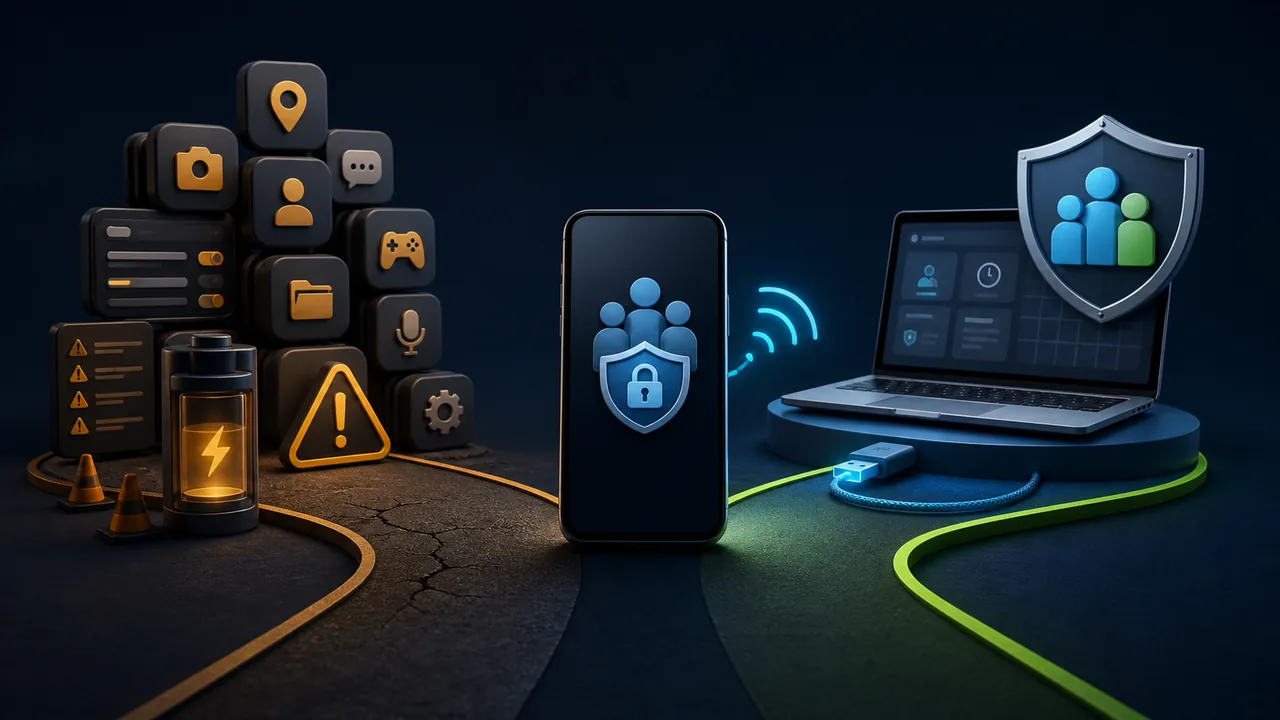
Users who search for “mSpy alternative”, “mSpy alternative without target phone app”, or “hidden parental control Android” are usually not just looking for another piece of software with a longer feature list. They care more about whether the supervision tool will leave an obvious icon on the launcher, whether a child can accidentally delete it, whether it is likely to stop in the background, and whether location and remote management can remain usable over the long term.
Therefore, low-visibility supervision is a real and important purchasing factor. Here, “stealth” does not mean secretly surveilling anyone without permission. It means that when parents lawfully manage their minor children's devices, the supervision entry point does not interfere with children's use through a regular app icon and is not easily disabled by accidental taps, accidental deletion, or cleaner apps. For unattended enterprise endpoints, it also means the management program does not occupy the foreground interface or disrupt on-site users.
At this point, the most important thing is not to classify all products as “monitoring software” and then compare feature counts, but to first decide which capability you actually need:
- Deep viewing of communications and online activity;
- Setting app and location rules for family devices;
- Remotely assisting with Android phones from a browser;
- Managing unattended Android endpoints at home;
- Or simply providing technical help when parents run into operational problems.
mSpy and Teralivo are not identical products. mSpy is more oriented toward traditional parental supervision and activity viewing; Teralivo is more oriented toward low-visibility browser-based management, rule enforcement, and remote operations on Android devices you are authorized to manage. Teralivo's difference is not just “hiding an icon.” The managed device does not need to keep a regular control APK over the long term—one that could be directly uninstalled from the app list.
First, Let's Clear Up Some Common Misconceptions About mSpy
mSpy's official FAQ states that using its features on an Android phone requires installing mSpy directly on the target phone. Once installed, the icon can be hidden and the app can be displayed under a different name, making it less likely to be noticed by ordinary users.
But “requires installation” is not the same as “requires root.” mSpy's current official FAQ also states that its main Android features do not require root. Therefore, describing every mSpy deployment as requiring root is inaccurate. What really matters is that it still depends on the software on the managed device, the permissions granted during installation, and Android's background execution environment.
Likewise, do not judge pricing by the lowest average monthly figure in an ad. mSpy's official pricing page offers subscriptions by different durations. Longer plans usually have a lower equivalent monthly fee, but the actual amount paid, promotions, and regional pricing may vary. Before buying, compare the full subscription period, number of devices, features you need, and the time you may spend on later reconfiguration and troubleshooting.
Core Differences Between mSpy and No-Persistent-App Management
The phrase “no persistent app” here means the managed phone does not need to have a regular Android control APK installed long-term. It does not mean the device has no background processes at all, nor does it mean initial authorization is unnecessary. With Teralivo, for example, initial enrollment still requires the device owner or administrator to have physical access to the device, enable Developer options and USB debugging, or use the product's supported wireless debugging flow to complete explicit authorization.
| Comparison | mSpy | Teralivo |
|---|---|---|
| Product focus | Parental supervision, location and online activity viewing | Family Android management, rule enforcement and remote operations |
| Initial Android setup | Install and configure mSpy on the managed phone | Complete authorized enrollment via USB debugging or a supported wireless debugging flow |
| Regular APK on managed device | Must be kept long-term | Does not need to install a regular control APK long-term |
| Visibility during use | Official FAQ says the launcher icon can be hidden, but the managed-device software and permissions still remain | Does not rely on a regular app icon to run, so it is less noticeable in daily use |
| Risk of accidental uninstall | Hiding the icon does not eliminate the risk that the managed-device app will be discovered, stopped, or uninstalled | With no regular control APK, it cannot be accidentally uninstalled as an ordinary app from the launcher or app list |
| Background reliability | Affected by the managed-device app, permissions, and Android background environment | Does not depend on the lifecycle of a regular Android control app |
| Remote operations | Focuses on supervision data; specific capabilities depend on platform and plan | Can initiate remote operations and assistance for authorized devices from a browser |
| Usage boundaries | Suitable for parental supervision and other applicable scenarios, subject to local laws and platform rules | Limited to family, personal, or business devices that you own or have explicitly authorized management over |
Pain Point 1: Successful Installation Doesn't Guarantee Long-Term Stability
After a regular Android app leaves the foreground, it is affected by background execution, standby, battery optimization, and vendor policies. Official Android documentation explicitly states that background processes consume memory and battery, so the system restricts background tasks. Foreground services can improve the ability to keep running, but they must remain visible to the user and are also subject to use-case and system rule constraints.
This means that even if a traditional supervision app works normally when first installed, its long-term effectiveness depends on multiple conditions:
- Whether the managed-device app is still running;
- Whether permissions such as location, accessibility, and notification access remain valid;
- Whether battery optimization or vendor cleanup policies limit background activity;
- Whether there is a reliable recovery entry point after the app is stopped;
- Whether permissions need to be re-confirmed after a device upgrade.
If your primary need is “manage an authorized device from a browser,” then reducing reliance on a regular persistent control app may be more valuable than adding more monitoring features.
Pain Point 2: True Stealth Is More Than Just Hiding the Launcher Icon
Hiding the icon can indeed reduce the chance that an ordinary user will discover the supervision app from the launcher, and that is one of mSpy's selling points. But hiding the icon only changes the launcher entry point; it does not make the APK, permission records, or system activity disappear. If a child opens app management, security scans, or permission settings, they may still find, stop, or uninstall a regular supervision app.
Teralivo's low visibility comes from a different deployment approach. After initial enrollment through USB debugging or a supported wireless debugging flow, the managed phone does not need to have a regular control APK installed long-term. As a result, there is no launcher icon for a regular parental control app, and the management entry point is not immediately lost if a child accidentally deletes that APK from the app list. For families that want less interference and greater continuity, this is more valuable than simply changing an app's name or hiding its icon.
Google Play's monitoring app policy requires compliant monitoring tools to provide prominent disclosure and necessary consent. They cannot market the product as a covert surveillance solution, nor hide or disguise tracking behavior. The rules applicable to different distribution methods may differ, but “device ownership, explicit authorization, data minimization, and revocable control” remain safer criteria when choosing a product.
Therefore, when looking for an mSpy alternative, you can use “low visibility and difficult to accidentally delete” as one of the core criteria, while also checking:
- Whether initial authorization is clear;
- Whether the administrator can see device and operation logs;
- Whether debugging authorization can be revoked when it is no longer needed;
- Whether the product only collects data needed to complete the task;
- Whether the remote features match the family's actual needs.
It is necessary to distinguish “low-visibility management” from “unauthorized covert surveillance.” The former is used when parents lawfully manage their minor children's devices, care for family devices, or maintain business endpoints. The latter may violate privacy and local laws. Product marketing should clearly focus on the former scenario.
Pain Point 3: Don't Just Compare Subscription Prices; Compare the Total Cost of Use
The real cost of a product is not only the subscription fee. It also includes initial deployment, reconfiguration, troubleshooting, and device downtime.
Suppose a family needs to manage three Android devices. If each device requires time every month to check permissions, restart an app, or deal with data that stops updating, then a subscription that “looks cheap” can still lead to high maintenance costs. Conversely, if your needs are only app rules, location status, usage time, and remote assistance, buying a large number of communication monitoring features you will never use is also meaningless.
We suggest breaking the total cost down into five items:
| Cost item | Questions to check |
|---|---|
| Subscription cost | Is it billed monthly, yearly, or per device? Is the renewal price the same? |
| Deployment cost | Does it have to be installed on every phone and authorized item by item? |
| Maintenance cost | If permissions change or the app stops in the background, who is responsible for recovery? |
| Usage cost | Can parents understand the dashboard and handle problems independently? |
| Risk cost | Does it collect data beyond the goal of family management? |
Which Users Should Continue Using mSpy?
If a family truly needs the specific supervision data that mSpy provides, and can accept installing managed-device software on an Android phone, maintaining permissions, and paying the corresponding subscription, mSpy may still meet the need. Choosing an established brand can also provide more complete installation guides and support channels.
But before use, you should confirm local laws, the informed-consent and authorization requirements of family members, and how the product handles sensitive data. The fact that a product can offer a feature does not mean any particular use is legal or appropriate.
Which Users Are Better Suited to Teralivo?
The following needs are closer to Teralivo's positioning:
- You want to manage your own or explicitly authorized Android devices from a browser;
- You do not want to install a regular control APK long-term;
- You want the supervision entry point not to appear as a regular app on the launcher and want to reduce the risk of accidental deletion by children;
- You need to view location, app usage, or enforce family management rules;
- You need remote assistance when helping parents deal with phone and smart-home apps;
- You need to keep a remote management entry point on unattended devices;
- You value practical operation capabilities more than reading large amounts of private communication content.
You can use the related product links below this page to learn more about no-persistent-app Android device management and how it differs from regular app deployment.
Checklist Before Choosing an mSpy Alternative
Before paying, complete the following checks using a test phone you own:
- Does initial enrollment require explicit confirmation from the device owner?
- After the phone locks and sits idle for a while, is the management entry point still available?
- Do location, app rules, and remote assistance meet your real needs?
- Does the managed phone have to keep a regular control app long-term?
- How do you unbind the device and revoke USB debugging or wireless debugging authorization?
- How do you delete the account and device data after the trial ends?
- Is the final checkout price the same as the displayed price?
A truly valuable mSpy alternative must satisfy parents' need for low-visibility supervision and also solve the problem that regular monitoring apps are easy to discover, stop, or accidentally uninstall. Teralivo does not rely on installing a regular control APK long-term on the managed device. It maintains less foreground interference while providing location rules, app management, and remote control entry points. This is the core difference from an approach that “installs an app and then hides its icon.”
Trademark notice: mSpy is a trademark of its owner. This article has no affiliation or partnership with mSpy. The comparison is based on public information, Android's official mechanisms, and Teralivo's product capabilities.