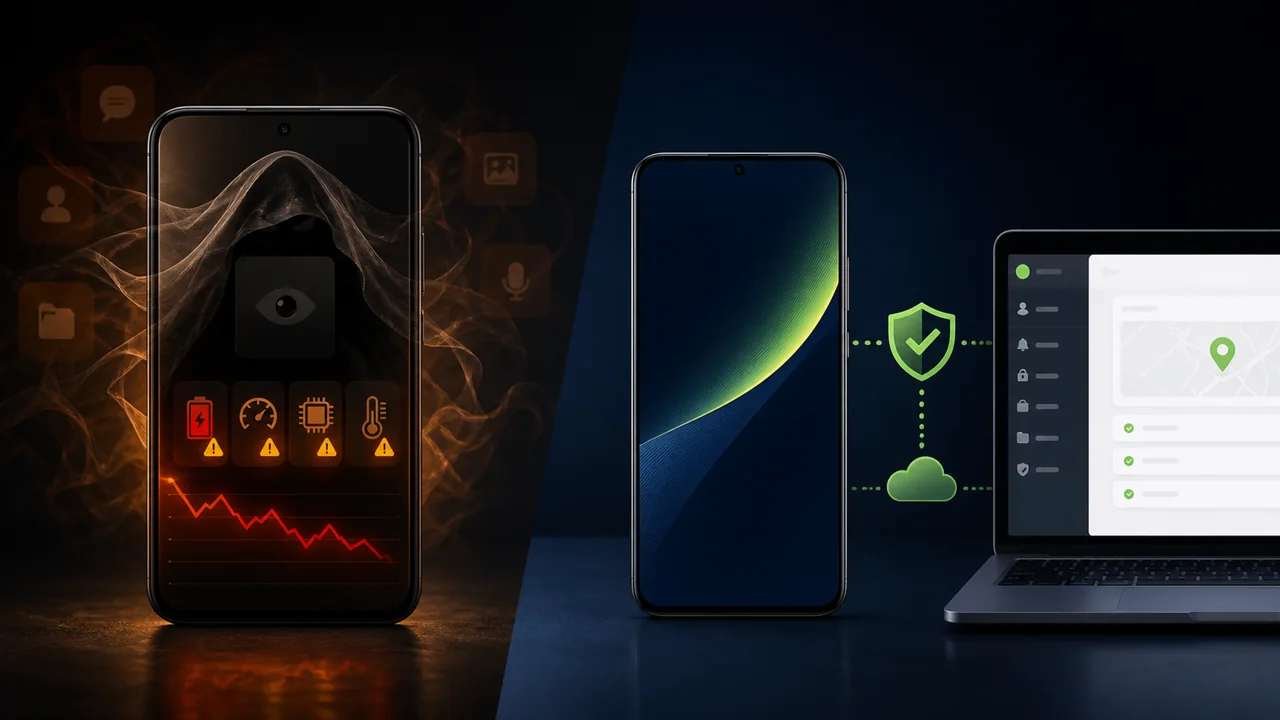
No-App Android Monitoring is often misunderstood to mean that you can view another phone simply by entering a phone number, without touching the device, installing any application, or obtaining authorization. The standard Android security model does not support such a promise. Any reliable remote management must first establish a control channel, device identity, and an authorization relationship.
The term "no-app" more accurately means that the managed phone does not need to have a regular control APK installed long-term, does not leave an icon for that control app on the home screen, and does not rely on the background lifecycle of a regular app to maintain a continuous connection. This is fundamentally different from the "hide icon after installation" approach used by apps like mSpy, but prerequisites such as initial configuration, online status, compatibility, and legitimate authorization still apply.
Four Frequently Confused Concepts
A hidden app is a regular APK that is already installed on Android, with its home-screen entry hidden or its name disguised. It still has a package name, app data, permissions, and running records.
Non-resident app management does not keep a regular control APK on the managed device long-term. Instead, the device owner or administrator completes a one-time binding via USB, wireless debugging, or another supported method, and then manages the device through an authorized channel.
Browser management describes the control-side interface: administrators operate from a web page. By itself, it does not indicate whether an app is installed on the phone, nor does it prove that the connection does not require authorization.
ADB is a debugging and device management interface provided by Android. It is powerful, so initial authorization must be completed by the device owner or an authorized administrator, and the authorized computer or service should also be protected.
Deployment of Hidden Apps Like mSpy
Monitoring products such as mSpy, Eyezy, and KidsGuard Pro do not have identical features and installation requirements, but their Android solutions typically require installing managed software on the target device and granting location, notification, accessibility, or other permissions depending on the features. Hiding the icon can reduce the likelihood of an ordinary user discovering it from the home screen, but it cannot remove the system app list and permission records.
The advantage of this approach is that it can leverage the Android app framework and manufacturer-provided interfaces, and after installation it can directly collect the required data. The downside is that regular apps can be affected by battery optimization, background execution limits, permission resets, Play Protect, security software, and user uninstalls. If the app is stopped or permissions are revoked, the service may not be able to restore itself with just a push notification.
Teralivo's Non-Resident App Model
Teralivo requires the device to complete an authorized binding first. After that, the managed phone does not need to keep a regular control app as its primary entry point, so the same home-screen icon, regular app uninstall, and background keep-alive issues do not arise. Administrators can view authorized devices, configure policies, or initiate remote operations from a browser.
This does not mean that the Android system "cannot know anything," nor does it mean that any phone can be remotely connected. The device must be the user's own device, a device under family guardianship, or a terminal explicitly authorized for management by the enterprise. The device needs to be powered on, connected to the internet, and maintain binding. Compatibility across different brands, Android versions, and target apps also requires real-world testing.
Deployment Traces, Stability, and Capability Comparison
| Dimension | Hidden apps like mSpy | Teralivo's non-resident-app model |
|---|---|---|
| Initial device contact | Usually required | Authorized binding required |
| On-device APK | Usually requires installation | No reliance on a long-term resident regular control APK |
| Home-screen icon | Can be hidden | No corresponding regular control app icon |
| App list and permissions | Usually leaves records | Does not appear as a regular managed app |
| Background stability | Affected by regular app lifecycle | Not reliant on regular app keep-alive |
| User uninstall | At risk | No same regular app uninstall entry |
| Remote operations | Depends on product and permissions | Supported scenarios after binding do not require per-operation confirmation |
| Usage boundaries | Parental supervision or other legally authorized scenarios | Self-owned, family-authorized, or enterprise-authorized devices |
Why Greater Stealth Still Requires Transparent Authorization
Low visibility can be a reasonable product value. For example, parents may not want the control entry to be accidentally deleted by children, enterprises may not want the management app to occupy kiosk screen space, and families may not want an additional icon that is prone to accidental taps. However, low visibility cannot justify bypassing consent or secretly controlling adults.
Enterprises should clarify the scope of management in device asset, employment policy, and privacy notices; families should clarify who owns the device, who has access, what data will be collected, and how to revoke it. The stronger the monitoring capability, the more important permission control, account security, and auditing become.
When Choosing a Solution, Don't Just Look at Whether It Can Hide
Before purchasing, you should test five things: whether the initial deployment can be completed by an authorized administrator; whether the device remains online after being idle for a while; what happens when permissions or location are disabled; whether the target app supports the required remote operations; and whether access can be revoked quickly if an account is compromised.
For enterprises that require full enrollment, application distribution, compliance policies, and device fleet lifecycle management, a mature MDM may be more appropriate. For scenarios where you want to reduce the traces of a regular control app, avoid accidental uninstalls, or perform unattended operations in compatible apps, Teralivo is worth evaluating. The two can also be combined rather than forcing a choice.
Conclusion
No-App Android Monitoring is not magic, nor is it "monitoring just by knowing a phone number." It is a different deployment model: first, an authorized person establishes device binding; afterwards, it does not rely on a hidden regular control app running long-term. Understanding this premise is necessary for objectively comparing stealth, stability, functional scope, and legal risks.