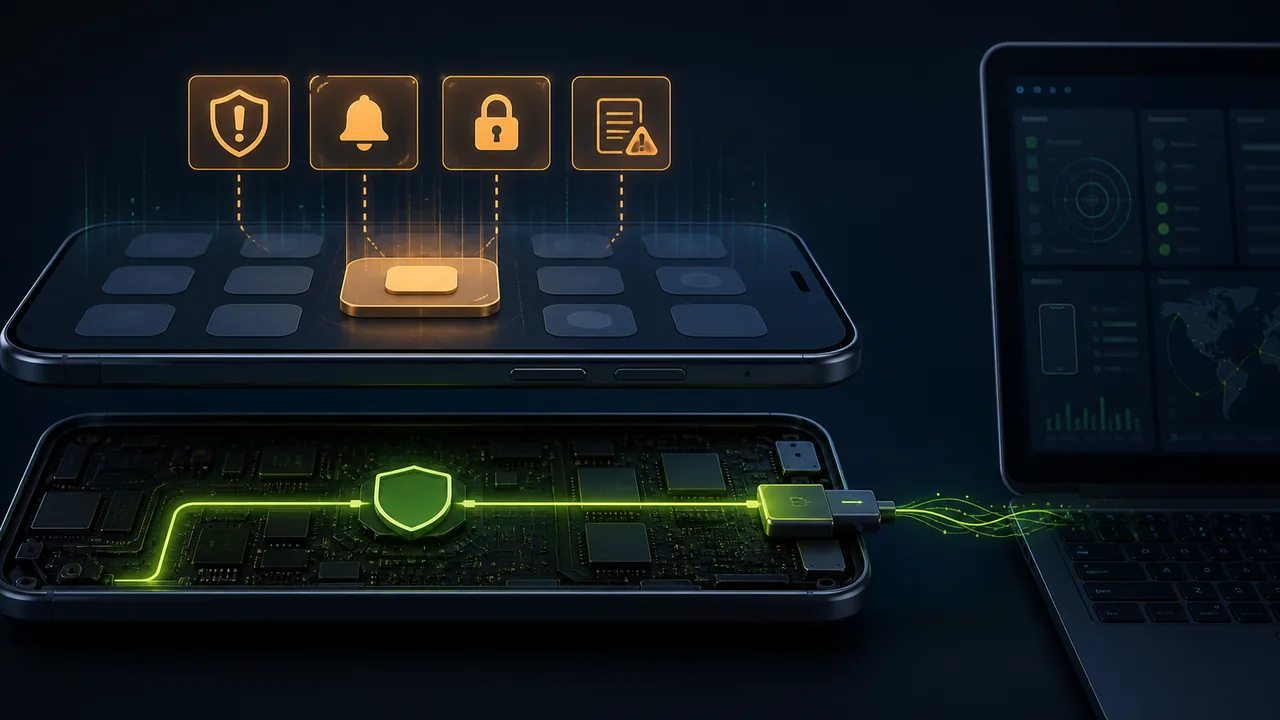
In the field of mobile security, consumer-grade monitoring software represented by mSpy has always had a core contradiction: it must collect data as covertly as possible, yet it is constrained by Android's increasingly strict privacy protection mechanisms. So, can this kind of software actually be detected? This article systematically analyzes its detectability, starting from the permission model, background survival strategies, and camouflage techniques, all the way to ADB-based app-free monitoring backdoors.
I. Essentially Still a "Permission-Hungry" App
No matter how mSpy's marketing copy is packaged, it is essentially a normal Android application that requests a large number of sensitive permissions. To achieve functions like call recording, SMS interception, GPS tracking, and social media monitoring, it needs to request at least the following permissions:
- Location (precise and approximate)
- Read SMS, call log, contacts
- Camera, microphone
- Accessibility Service
- Notification Listener
Each permission alone is common, but when they concentrate on a single app unknown to the user, they constitute powerful monitoring capabilities. This also means that any experienced user or security scanning tool can detect anomalies through a permission audit list.
II. The Contradiction Between Background Persistence and Notification Bar
Starting with Android 6.0, Doze mode was introduced, and later versions imposed background execution limits and battery optimizations, making the system's control over background processes increasingly strict. An app wanting to continuously collect location and listen to notifications for 24 hours purely through background services is nearly impossible—it will be killed by the system before long.
The only 'legitimate' way to improve survival is to start a Foreground Service, which must be accompanied by a persistent notification. This directly creates a stealth dilemma:
- No notification displayed → Background frequently killed, monitoring interrupted;
- Notification displayed → A non-dismissible prompt always hangs in the notification bar, easily alerting the monitored person.
III. Masquerading as 'System Update': Self-Deception
mSpy's countermeasure is to camouflage the notification. After installation, a notification appears on the monitored phone's notification bar that looks like it came from the system, such as 'Framework Update Service' or 'Update Service'.
At first glance, this notification appears to be from a system process, and ordinary users might ignore it. But with a little careful inspection:
- Clicking the notification does not lead to the real system settings;
- Long-pressing the notification reveals the actual app name or package name;
- In 'Settings → Notification Management', you can see an app that shouldn't exist continuously displaying notifications.
A persistent notification itself constitutes a revealing factor. For users with even a hint of vigilance, this kind of masquerade simply doesn't hold up.
IV. The Collective Betrayal by Permissions and Security Mechanisms
The camouflaged notification is just the first crack. More deadly is that Android's transparency mechanisms expose the monitoring app from multiple dimensions.
Accessibility Service List To remotely capture screenshots, simulate clicks, and read chat interface content, mSpy almost certainly requires enabling the Accessibility Service. In 'Settings → Accessibility → Installed Services', a seemingly unrelated name appears. Anyone checking this list will notice the anomaly.
Google Play Protect Scanning Because such software is typical stalkerware, it has already been added to Google Play Protect's threat list. If the monitored phone has not disabled Play Protect scanning, the system will directly pop up a warning or even automatically remove the app. Disabling Play Protect itself is a highly suspicious operation, essentially telling the user that 'someone is trying to block security mechanisms.'
Conclusion: As long as the user enters these setting screens to check, apps like mSpy are almost completely exposed. Even if icons are hidden and names are obfuscated, the objective existence of permissions and system records cannot be erased.
V. When All 'Suspicious Traces' Are Erased, Is It Safe?
Assume an extreme scenario: the notification bar is clean, the permission list has no abnormal apps, the accessibility service is normal, Play Protect is not disabled, and the device shows no signs of being rooted—does that mean there is definitely no monitoring?
The answer is unsettling: Not at all. This is precisely where more advanced and professional monitoring methods come into play.
VI. The Ghost from the Bottom Layer—ADB-Based App-Free Monitoring
Some tools aimed at 'enterprise device management' or intelligence collection leverage Android's developer mechanism (ADB) to achieve completely traceless monitoring. Their working method is as follows:
Physical Contact, Enable ADB The attacker only needs brief access to an unlocked phone to enable 'USB Debugging' in Developer Options.
Push and Start a Pure Linux Program No Android app installation is needed; it starts via
adb shell. This program does not exist in any form as an Android app—no package name, no APK, does not go through PackageManager.Completely Bypassing the Android Permission Model The program runs under the shell user or higher privileges and can directly access the following resources without triggering any permission dialogs:
- Use
screencapor directly manipulate the framebuffer for silent screenshot capture; - Use
inputcommands to simulate clicks and swipes, remotely controlling any app even when the screen is locked.
- Use
No Notification, No Icon, No Permission Records This 'monitoring tool' has no foreground service, so naturally no notification is needed. It does not appear in settings at all.
This means that the monitored person sees no hint on the screen and is completely unaware that their phone is being remotely controlled in real time.
This scheme does not require disabling Play Protect, or requesting location, SMS, or accessibility permissions, because it does not go through the Android framework layer. It leverages the native capabilities of the Linux kernel layer, turning Android itself into a 'blind person'.
VII. Can This Traceless Ghost Be Detected?
For most consumers, this ADB-based app-free monitoring is essentially undetectable. It descends monitoring from the 'app level' to the 'below kernel/framework' level, effectively bypassing all of Android's security audit interfaces.
VIII. Conclusion: The Ongoing Struggle Between Discovery and Anti-Discovery
Returning to the original question: Can monitoring software like mSpy be detected?
- Traditional monitoring methods that rely on app installation (such as mSpy's standard deployment) can be detected. Notification bar masquerading, permission anomalies, Play Protect warnings, etc., are obvious leverage points. As long as the user has some security awareness and actively checks, it will almost certainly be exposed.
- However, when the monitoring side upgrades to an ADB-based pure binary backdoor, the difficulty of detection increases exponentially. At this point, the phone appears completely normal to the user, while the attacker has gained near-physical hardware-level control, with extremely high stealth.
The key point of defense ultimately returns to the most basic and easily overlooked principle: Protect the physical security of the phone, preventing others from having access to an unlocked device; in the face of absolute technological suppression, only cutting off the source of the attack chain can make the device truly your own.
References
- mSpy Help Center: Android Installation and Required Special Access
- mSpy Help Center: Accessibility Service Setup
- mSpy: Android Hidden Mode and Desktop Icon
- Android Developers: Android Permissions Overview
- Android Developers: Foreground Services and Notifications
- Google: Play Protect Check, Warning, and Removal Mechanism
- Android Developers: ADB Authorization and Debugging Mechanism